
After an alarming amount of Amaretto (and very little sleep), I'm happy to officially showcase Split Loaf V1.0.0, the first full Windows release of the Keyboard Rerouter that gives you full control over how your keyboard interacts with your windows to help streamline your workflow.
Split Loaf comes packaged neatly as a .exe file that's lightweight, fast, and fuss-free. It doesn't require any extra installs, and no complex config files. Just simply run it and let it sit in your System Tray. All your keybinds get saved to the Windows Registry which means no matter when you choose to let the application live, your settings will stick around across sessions.
Once it's up and running, Split Loaf will live in your system tray, proudly represented by it's 'wonderfully' designed loaf icon that's based of the loaf of bread shown in the logo for The Bread Bin (whenever that finally sees the light of day).
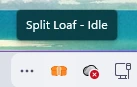
Initially when Split Loaf starts, it will be in idle.
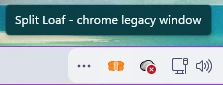 After giving it a target window, the tooltip updates to show which window it's active in. This is displayed in lowercase to indicate it's only targeted, not locked.
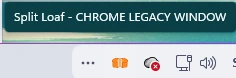 Once you lock your keyboard to a window, the tooltip switches to uppercase to act as an instant, at-a-glance indicator that Split Loaf is now fully controlling your keyboard for that window.
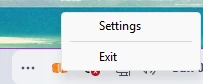 Initially the key binds for interacting with Split Loaf are the function keys, however these can be modified in the settings page, allowing you to choose whatever keybinds fit your workflow best.
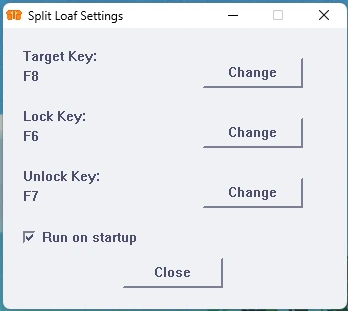
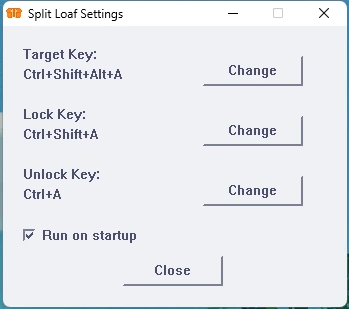
The settings and features like Run on Startup are all handled through the Windows Registry, meaning you don't need to reload the app after changes. This also allows persistent configurations, so future updates can safely add new functionality without losing your setup.
To install Split Loaf simply follow these instructions:
GitHub
- Head over to the GitHub repository: Release v1.0.0-Windows · AustinATTS/split_loaf
- Download the latest Windows executable.
- Move to wherever you'd like to have it saved.
- Run it.
- (optional) Enable run on startup to allow it to run every time you turn on your pc.
Microsoft Store
- Head over to the Microsoft Store Page: Split Loaf.
- Download the application.
- Run it.
- (optional) Enable run on startup to allow it to run every time you turn on your pc.
Next up I might add some more customisation and better notifications, however working on this has given me some great ideas for The Bread Bin, so you never know it might finally happen.